Overview
Image Explorer lets Steven search, cluster, and annotate personal photo archives with CLIP embeddings backed by pgvector. The front-end runs inside the main web app with authenticated access.
Stack & Data Model
Database
Tables: documents (metadata), image_embeddings (CLIP vectors, phash), face_embeddings, image_clusters. Powered by PostgreSQL/pgvector on port 5422.
Embeddings
CLIP embeddings and perceptual hashes are generated for each image (or sub-image/frame) and stored with source paths and metadata for deduplication.
Faces & Tagging
Faces are extracted from Mac Photos and from frames pulled out of videos. Face embeddings are clustered for fast “who is this?” tagging, and tags propagate to make search and annotation repeatable at scale.
Frontend
Responsive UI renders clusters, similarity results, and annotation modals with grid layouts and selection controls.
Backend
Server routes expose gallery, similarity, and cluster APIs; search services handle similarity queries and face counts.
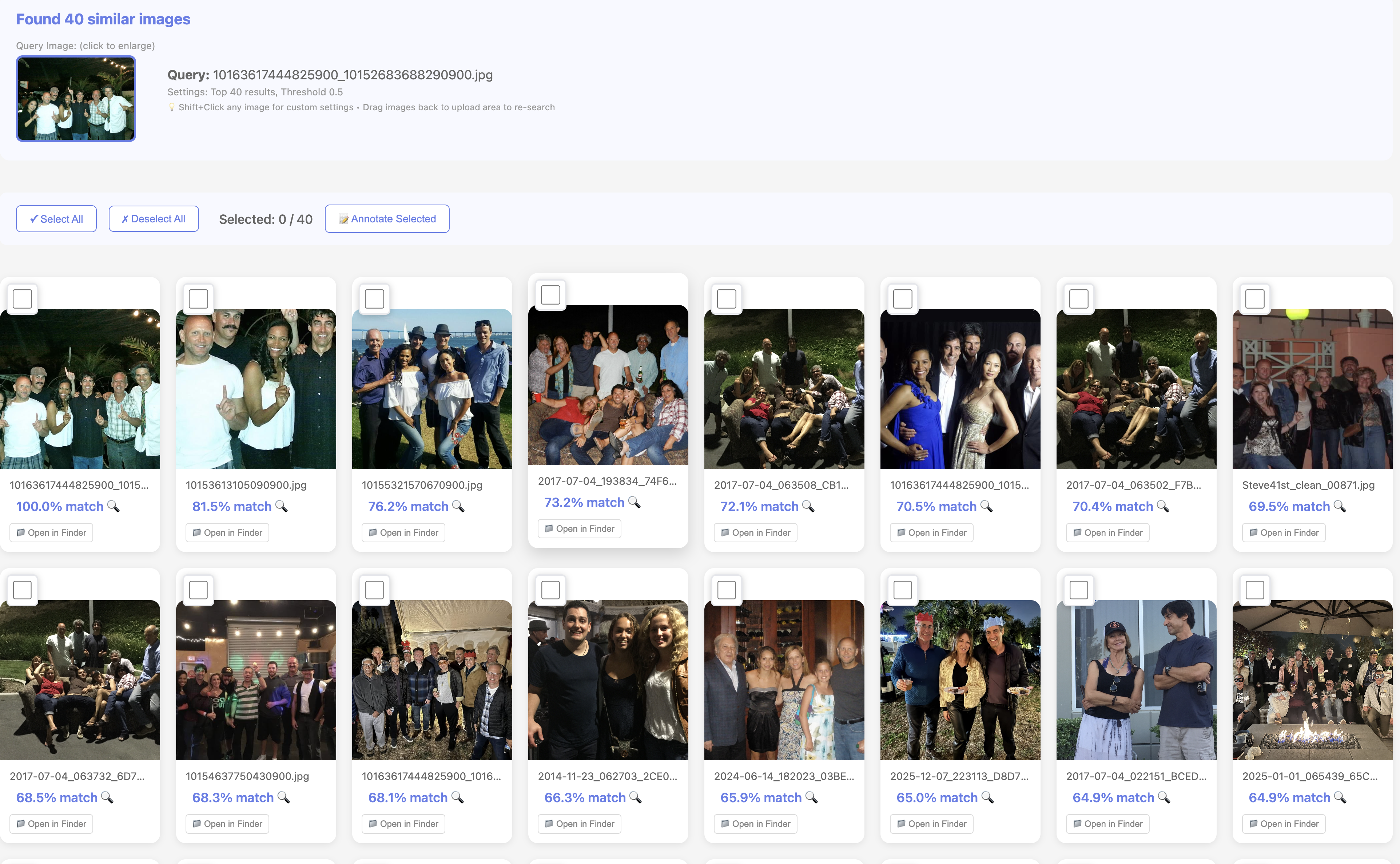
Similarity search + bulk selection for rapid annotation of related faces and scenes.
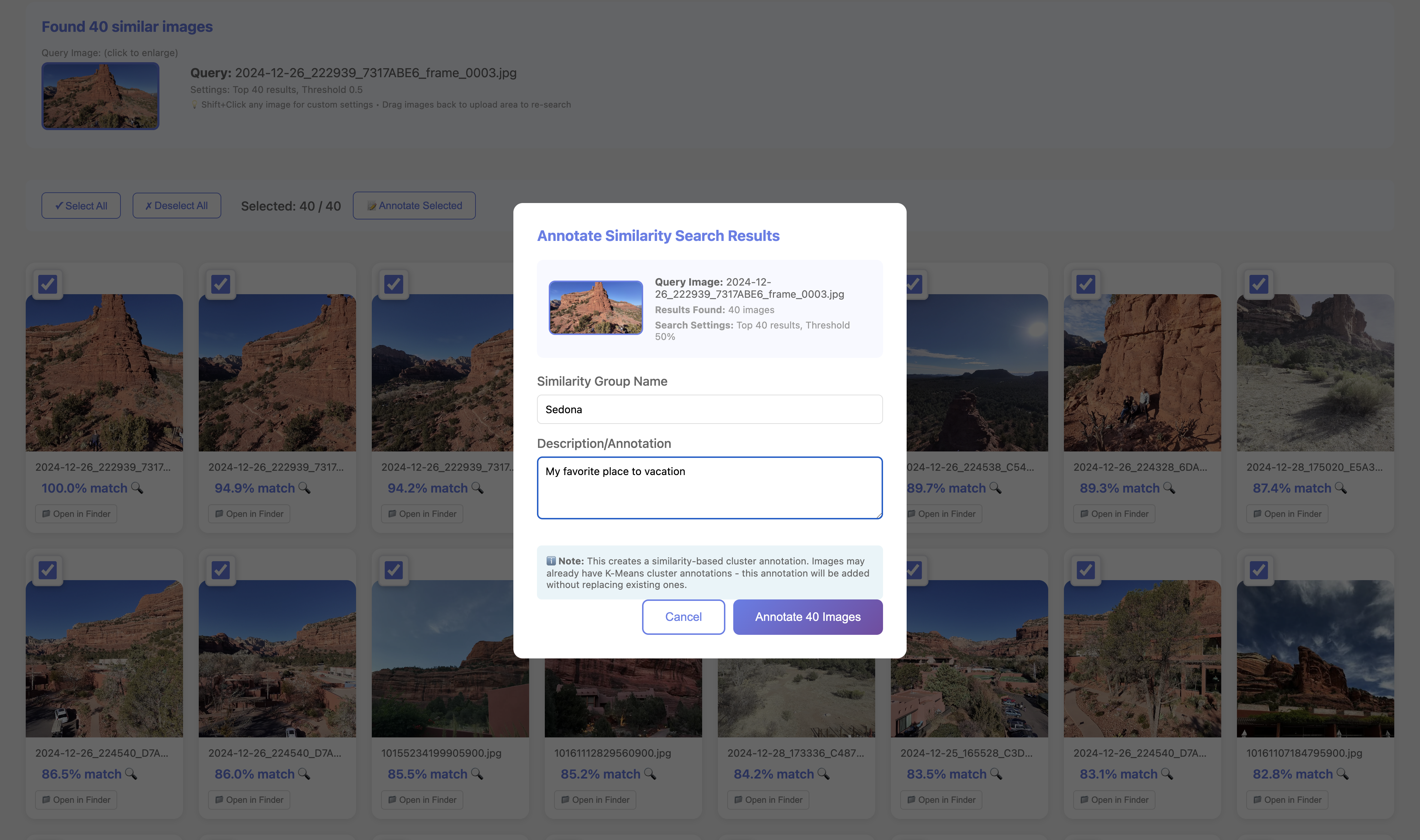
Annotation modal on similarity results enables one-pass labeling of whole groups.
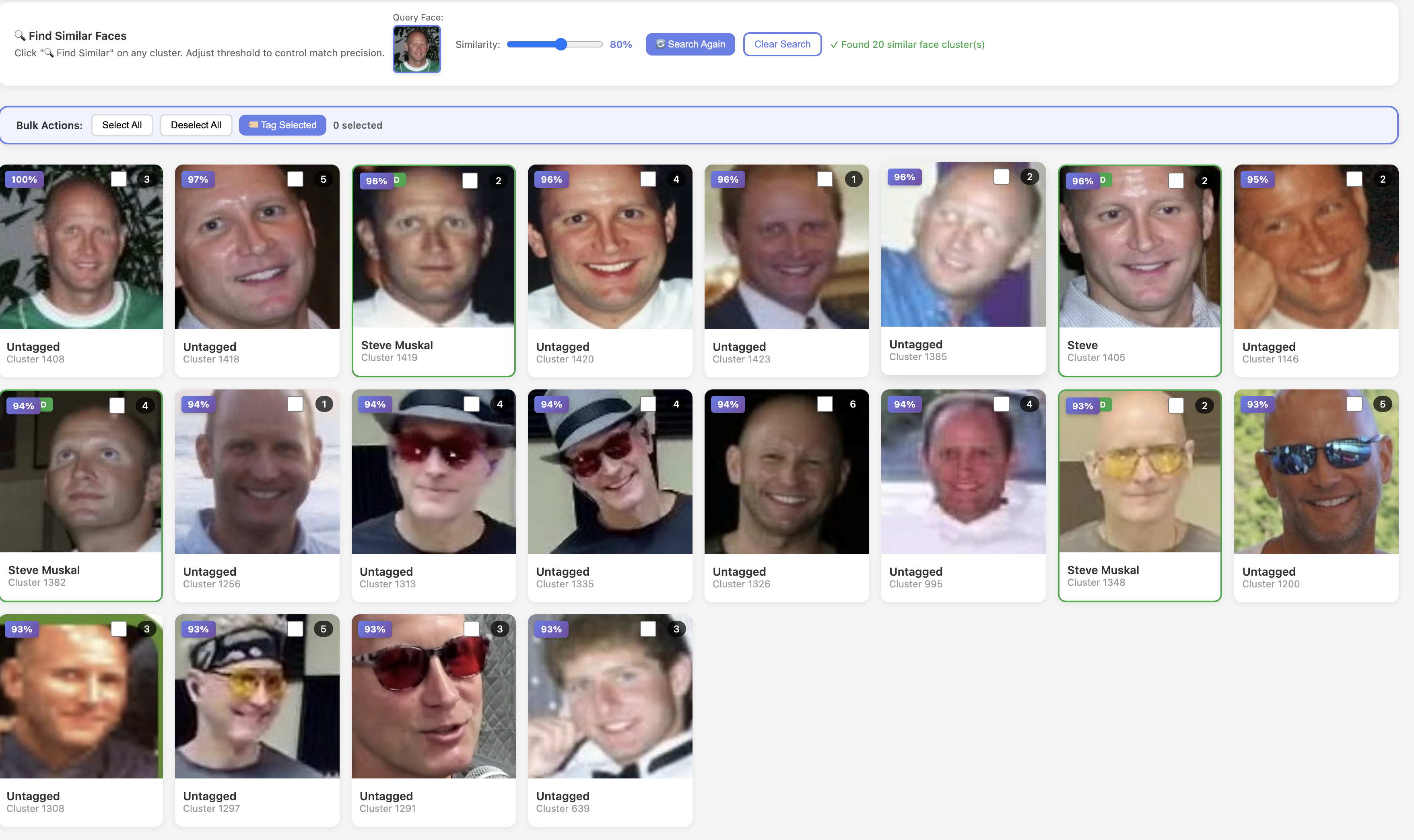
Face clustering across decades to rapidly tag similar faces and propagate labels.
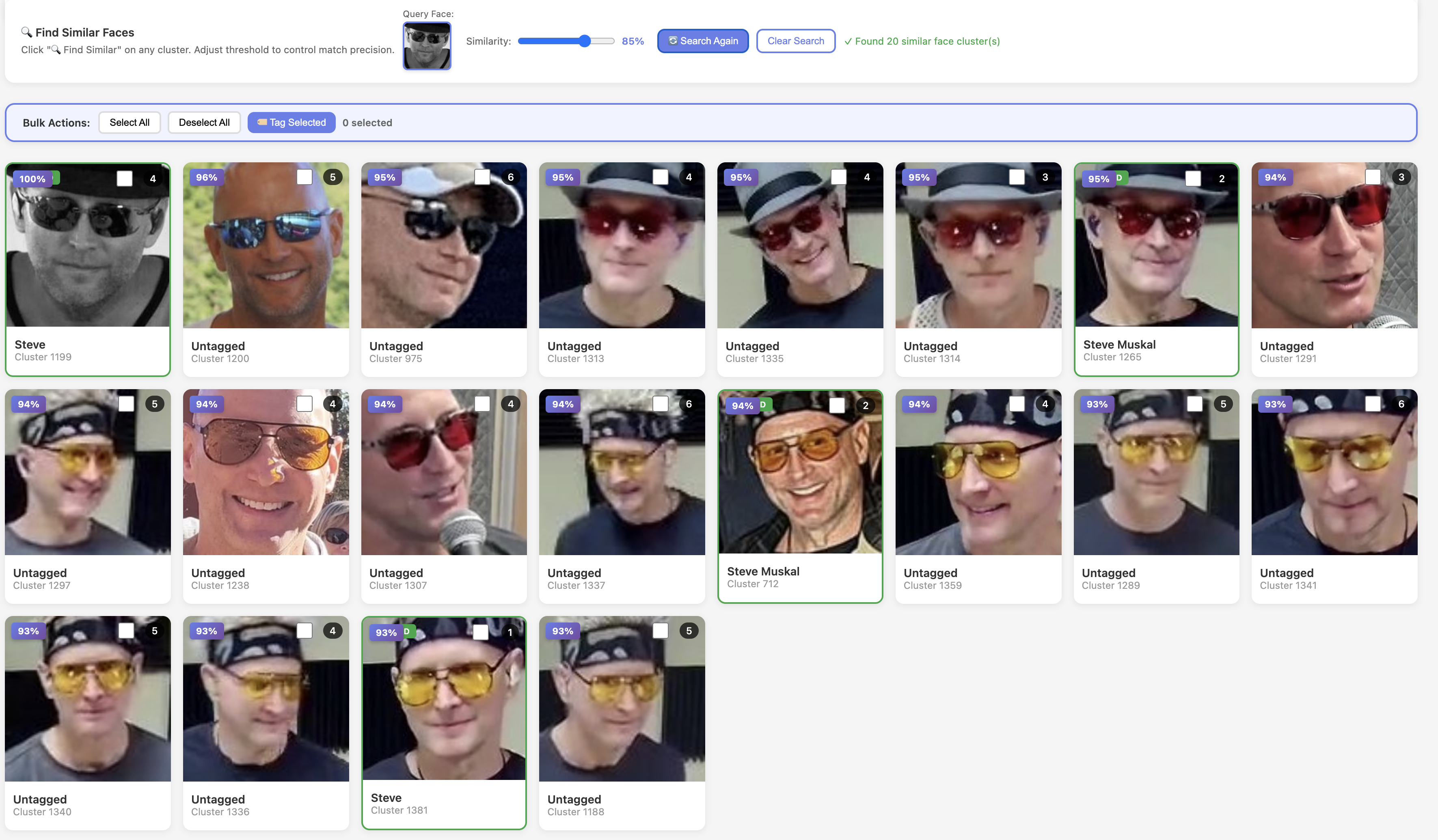
Robust matching across sunglasses/hats/lighting to keep tagging consistent.
Core Features
Similarity Search
Upload or pick an image (or sub-image/video frame), compute CLIP embedding, and return top matches. Query image always included (≥0.98 similarity) even at high thresholds.
Cluster Exploration
Auto-generated k-means clusters plus user-named clusters; shows size, name, and description. Samples per cluster drive quick scanning and bulk selection.
Annotations
Inline modal writes cluster names/descriptions to DB and per-image .annotation.json files; user annotations never overwritten by nightly jobs. Works from clusters or similarity hits to avoid one-by-one tagging.
Finder Hooks
“Open in Finder” buttons launch local paths for fast triage, paired with similarity search buttons on every card.
Pipelines & Jobs
kmeans_* clusters, and preserves user-named sets.
Ingestion scripts (e.g., organize_facebook_images.py, restore_orphaned_images.py) keep the corpus clean, while face_embeddings support future face-aware filtering.
Ingestion jobs keep the corpus clean (social imports, curated photos, reprocessing), while face embeddings support future face-aware filtering.
API Surface
GET /image-explorer– authenticated UI.GET /api/images/gallery– paginated gallery with keyword filter (content ILIKEon vision docs).POST /api/images/similar– upload/path-based similarity search with threshold andtop_k.GET /api/images/clusters– cluster metadata with sample images and descriptions.
Ops & Safeguards
- Runs inside authenticated sessions with shared rate limits.
- IP allow/deny lists reused from the main app to blunt bot traffic.
- Dedicated similarity logging for troubleshooting and audits.
- Vector type registration on pooled connections to keep queries stable.
- Query image inclusion rule prevents “0 results” UX regressions.